 TrackTracer
The problem it solves
Windows keeps a longer memory than most people realize. It tracks the files you've opened, every USB stick that's ever been plugged in, and every Wi-Fi network you've joined, and it never shows you any of it in one place. The information is scattered across hidden folders and settings you'd never think to look in.
TrackTracer reads that hidden diary and puts it in one plain report, so you can see what your own PC remembers about you. It's an eye-opener, and it's handy if you're about to sell or hand down a computer, or you just want to know what's set to launch every time you log in.
How it works
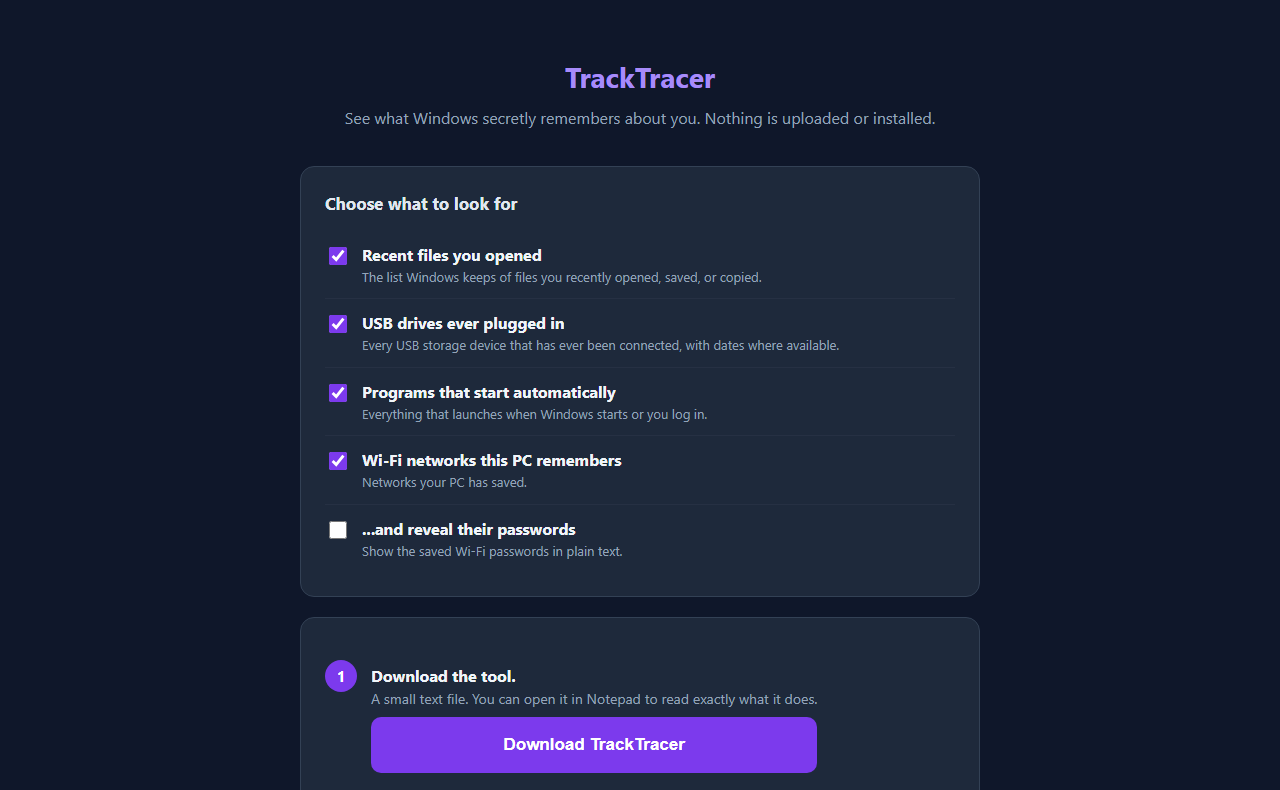
- Choose what to look for. Tick any of the four: recent files, USB drives, startup programs, and saved Wi-Fi networks.
- Download TrackTracer. You get one small file, TrackTracer.cmd. It's plain text, so you can open it in Notepad and read exactly what it does.
- Double-click it. It's usually in your Downloads folder. If Windows shows a blue "Windows protected your PC" box, click More info, then Run anyway.
- Read your report. It opens in your browser and is saved to your Desktop as What-Windows-Remembers.html.
What the report shows
Recent files. The list Windows keeps of files you recently opened, saved or copied.
USB drives. Every USB storage device that has ever been connected, with dates where Windows recorded them.
Startup programs. Everything that launches when Windows starts or you log in. This is a good place to spot things you forgot you installed.
Wi-Fi networks. The networks your PC has saved. If you tick reveal their passwords, the report includes them in plain text, which is handy when you've forgotten one. Just remember that anyone who opens the report can read them too, so delete it when you're done and don't share it.
Look, don't touch
TrackTracer only reads and reports. It never changes or deletes anything, so running it can't break your PC or erase history you wanted to keep. It doesn't need administrator rights, it installs nothing, and it makes no network connections.
If you see something in the report you'd rather Windows forgot, that's your call to make with Windows' own settings. This tool just shows you what's there.
Why I ask for your email
The sign-up unlocks the download in this browser. You only do it once per browser.
It has nothing to do with your history. TrackTracer runs entirely on your computer. It writes one report file to your Desktop and opens it. Nothing is uploaded, and I never see what's in it.
I might send you a note now and then about other free tools I build. I will never sell or give your email to anyone else.
Questions people ask
Is it really free?
Yes. No subscription, nothing to install.
Does it work on a Mac or a phone?
No. It reads the history that Windows keeps, so it runs on Windows PCs. Open the page on the computer you want to check.
Does it delete my history?
No. It only reads and reports. It never changes or deletes anything.
Is the Windows warning a problem?
No. Windows shows it for any downloaded file that hasn't paid for a code-signing certificate. Click Show me exactly what this runs on the page, or open the file in Notepad, to read it before running.
Why is my recent files list empty?
Some PCs have recent-file tracking turned off in Windows. In that case there's genuinely nothing for it to show, and the report says none were found.